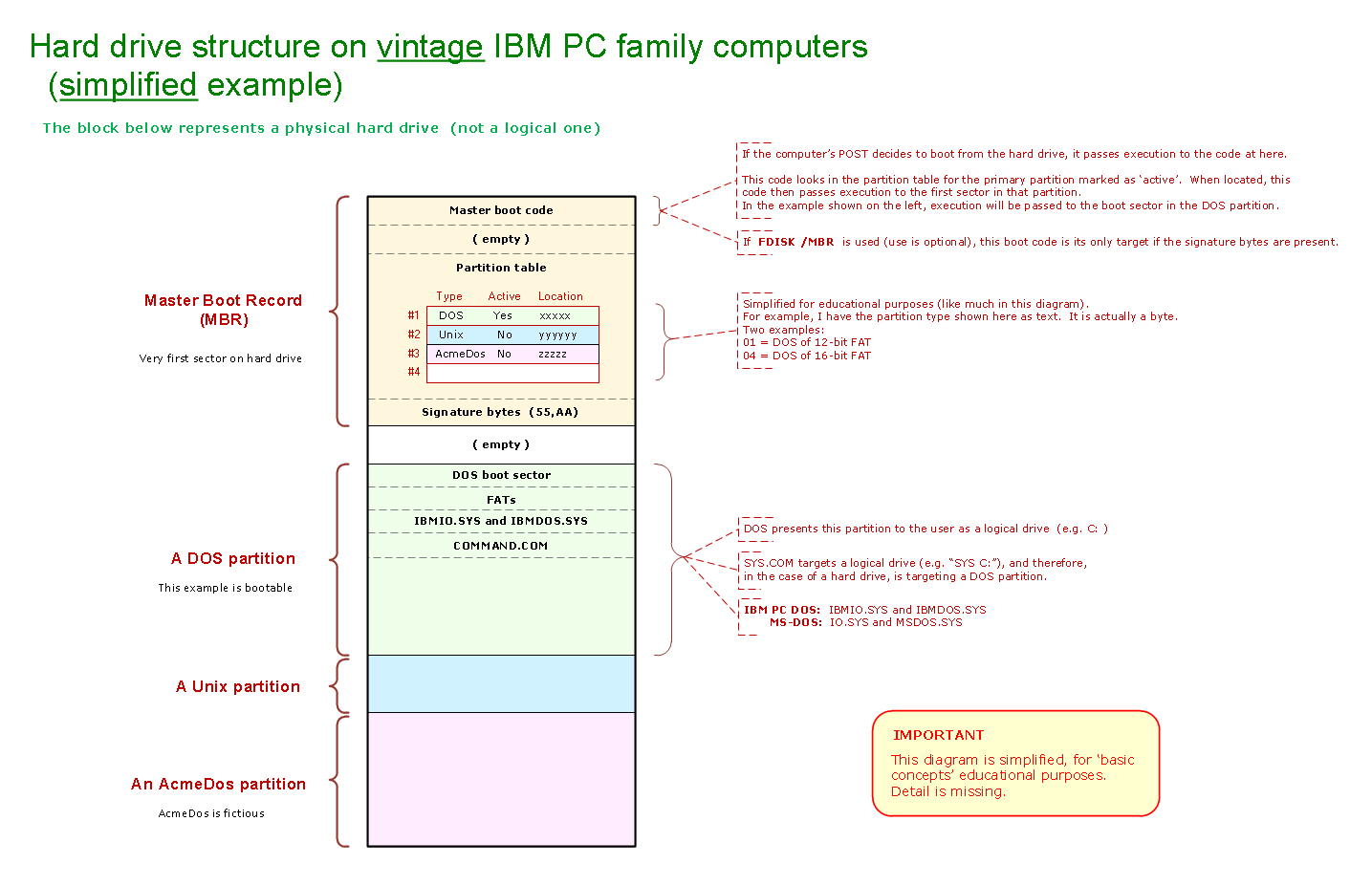
IBM PC Family - Physical Drives Versus Logical Drives
Basics
A physical drive is something that I can touch.
A logical drive (in the form of an alphabetical letter, e.g. A: ) is something that DOS assigns.
When the power-on self test (POST) in your vintage computer is executing, logical drives do not exist. When DOS starts loading, part of that loading process involves DOS assigning logical drives to things.
Floppy drives:
DOS assigns logical drives to physical floppy drives.
Hard drives:
DOS assigns logical drives to DOS partitions on physical hard drives.
Quick example #1
IBM 5150 (IBM PC) computer contains:
- One floppy drive, configured (via connector, cable, and drive jumpers) as physical floppy drive #0.
- One hard drive, configured (via connector, cable type, and drive jumpers) as physical hard drive #0.
- The hard drive contains one DOS partition.
- Motherboard switches are set for one floppy drive.
During the DOS loading process DOS will assign:
- Logical drive A: to physical floppy drive #0.
- Logical drive C: to the DOS partition on physical hard drive #0.
Quick example #2
IBM 5150 (IBM PC) computer contains:
- One floppy drive, configured (via connector, cable, and drive jumpers) as physical floppy drive #0.
- One hard drive, configured (via connector, cable type, and drive jumpers) as physical hard drive #0.
- The hard drive contains two DOS partitions.
- Motherboard switches are set for one floppy drive.
During the DOS loading process DOS will assign:
- Logical drive A: to physical floppy drive #0.
- Logical drive C: to the first DOS partition on physical hard drive #0.
- Logical drive D: to the second DOS partition on physical hard drive #0.
Partition type considerations
DOS 2.x only knows about DOS partitions of type FAT12.
DOS 3.x only knows about DOS partitions of type FAT12 and FAT16.
For example, in 'Quick example #1' above, if the DOS partition on physical hard drive #0 is of type FAT16, and I booted to a DOS 2 boot floppy, then no logical drive C: will be created by DOS.
That is because DOS 2, not knowing what FAT16 is, will consider the FAT16 partition to be a non-DOS partition.
The first hard drive partition will not always end up as C:
In early versions of DOS, the first DOS partition on the hard drive will not always end up as C:
Example:
IBM 5150 (IBM PC) computer contains:
- One floppy drive, configured (via connector, cable and drive jumpers) as physical floppy drive #0.
- One floppy drive, configured (via connector, cable, and drive jumpers) as physical floppy drive #1.
- One 'external' floppy drive, configured (via connector, cable, and drive jumpers) as physical floppy drive #2. (Diagram at here.)
- One hard drive, configured (via connector, cable, and drive jumpers) as physical hard drive #0.
- The hard drive contains one DOS partition.
- Motherboard switches are set for three floppy drives.
If I boot from an IBM DOS 3.3 boot floppy, I will discover the logical drive assignment to be:
• A: = Physical floppy drive #0
• B: = Physical floppy drive #1
• C: = Physical floppy drive #2
• D: = DOS partition on hard drive
In DOS 4, Microsoft changed the way that DOS assigned logical drives. See the 'Drive lettering' section of here.
If instead, I boot from an IBM DOS 4 boot floppy, I will discover the logical drive assignment to be:
• A: = Physical floppy drive #0
• B: = Physical floppy drive #1
• C: = DOS partition on hard drive
• D: = Physical floppy drive #2